
Video is now one of the primary formats for news and digital storytelling. For newsrooms and media outlets, that puts more pressure on resources. As production and output increase, costs can quickly spiral. So, the challenge isn't simply creating more content. It's scaling efficiently (and on a budget) without losing quality.
In this guide, we'll explore where video budgets typically expand, how to forecast costs more accurately and how AI-powered workflows can help unlock more value from the content you're already creating.
The hidden costs of scaling video production
It's easy to budget for things like cameras, editing software and production crews. They're all visible expenses with clear price tags. It's much harder to account for hidden operational costs that sit behind them.
As video output increases, every asset moves through a growing number of workflows. Footage needs to be:
- recorded
- logged
- reviewed
- edited
- transcribed
- captioned
- translated
- approved
- published
- archived
Each stage requires either time, technology or people. Often, it requires all three.
For newsrooms and broadcasters, the challenge becomes even greater. Video costs rarely increase in a straight line. As production scales, so does the complexity of managing, repurposing and distributing content. A breaking news clip may need to be edited for broadcast, reformatted for social media, captioned for accessibility, translated for international audiences and published across multiple channels — all within hours. What started as a single video quickly becomes several pieces of content, each carrying its own resource requirements.
A broadcaster going from 10 videos to 100 videos per week doesn't usually see costs rise by 10x. The complexity of workflows becomes harder to manage. Breaking news, live events and social media publishing all demand rapid turnaround times that quickly cause bottlenecks in the process.
The most expensive cost of all is inefficiency. Manual processes, duplicated work and disconnected workflows can quietly consume hundreds of hours across a year. Storage costs also grow quietly in the background. As archives expand, organizations need systems to store, search and retrieve content efficiently. Without searchable archives, valuable footage and data can become effectively lost, meaning teams spend hours searching for existing assets or recreating missing content.
While these costs rarely appear as a line item in a budget spreadsheet, they can have a major impact on productivity, turnaround times and overall return on investment. In short, cost isn't just the direct production spend. It also includes the resources (and cost of those resources) required to deliver production.

Building a video scaling budget
Once you understand where costs sit, the next challenge is turning that insight into a working budget model. Scaling video goes beyond predicting how much production will cost. It also means understanding how every part of the workflow will expand as your output increases.
Map your current video output
Start with a clear picture of your baseline. Before you can forecast growth, you need to understand what you're already producing. This typically includes:
- Number of videos published per week or month
- Average video length
- Types of content, e.g., breaking news, interviews, features or live coverage
- Distribution channels, e.g., broadcast, web, social, internal
Mapping your current workload like this gives you a clear picture of your content production process as it stands.
Track your key metrics
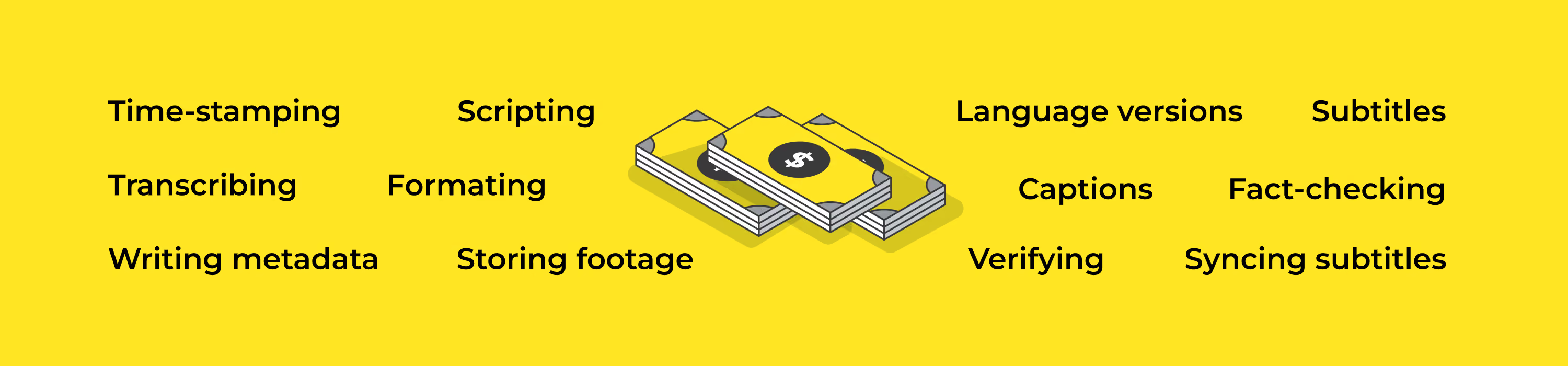
Most organizations underestimate this step, often calculating the production costs in isolation, without factoring in the full lifecycle of a piece of content. Most teams already budget for reporting, filming and editing, but they rarely represent the full picture.
A realistic cost-per-video model should include:
Core production:
- Reporting, scripting and story planning
- Filming
- Crew time, equipment and logistics
- Editing
Editorial and verification:
- Fact-checking quotes and claims
- Verifying footage (e.g. UGC)
- Editorial approval and compliance checks
Transcription and logging
- Transcribing speech from audio or video
- Timestamping key moments for fast navigation
- Logging and verifying quotes for scripts, headlines and social outputs
Captions and accessibility
- Creating accurate captions for broadcast and social
- Syncing subtitles to multiple edits and formats
- Formatting for platform-specific requirements
Translation and localization
- Translating interviews conducted in another language or for other countries
- Adapting phrasing for regional context and tone
- Managing multiple language versions of the same asset
Distribution and publishing
- Formatting for different platforms (aspect ratios, length and specs)
- Uploading and scheduling across multiple channels
- Writing metadata, headlines and descriptions
Archiving and reusing
- Storing raw and edited footage
- Tagging and indexing for searchability
- Managing rights, metadata and compliance
- Retrieving archive material for breaking and follow-up stories
Identify your true cost per video
Some of these metrics, like transcription and captioning, are harder to track. Their expenses don't arrive as an invoice and are often absorbed into existing workloads.
A simple way to estimate these costs? Calculate the amount of staff time spent on each activity:
Once you know the hours involved, you can multiply them by the average hourly cost of staff time. For example, if you spend 50 hours on transcription per month, and the transcriber costs $35 per hour:
Monthly transcription cost = $1,750
Annual transcription cost = $21,000
Identifying time drains
Once you have a full overview of your whole video production process, you can easily identify any bottlenecks and areas to streamline.
Let's say you're a newsroom publishing 20 videos per week.
That's more than half of a full-time employee's work week spent on supporting workflows — even before you've written a headline.
These hidden time costs add up quickly. Before streamlining their workflow with Trint, journalists at the Associated Press were spending around 45 minutes per day manually transcribing their interviews and recordings. Across a large newsroom, those lost hours can quickly translate into hundreds of hours of staff time every month.
And when your output scales, those hours scale too. What looks like a small administrative task at the individual project level quickly becomes a significant operational cost across an entire newsroom. But once you've found those time drains syphoning your budget, you can start evaluating your options to scale video production without wasting a minute or dime.
Comparing scaling options
As output grows, you typically have four options:
In many cases, the biggest opportunities for savings aren't found by cutting output. They're found by streamlining and automating tedious, time-intensive tasks.
Automating repetitive workflows
Transcription, captioning and subtitle creation are all necessary, but they can consume valuable resources every week when handled manually. Automating these processes helps teams move faster, scale production and control the growth curve.
An AI-powered transcription tool like Trint brings these workflows into a single, connected process. Instead of separate steps for transcription, captioning, editing and exporting, everything starts from one upload — even in the moment it happens. Trint also fits into your existing technology stack for wholly seamless integration.
Picture a breaking news scenario where a press conference is being covered live. With live transcription enabled, a producer can begin generating a real-time transcript as the event unfolds. As soon as the feed is captured, it’s ingested into Trint and processed instantly.
While the video is still being edited for broadcast, a transcript has already been generated and shared with the newsroom, meaning:
- Reporters quickly search the transcript for key statements or quotes
- Editors verify wording by clicking directly into the corresponding audio
- Social teams pull accurate, time-stamped captions for short-form clips
- The same transcript is translated in minutes and used to generate subtitles for international broadcasts
- Archive teams tag and store the content for future search and reuse
What would traditionally require multiple handoffs between teams — and hours of manual review — becomes a single, continuous workflow.
It's something that greatly helped Agence France-Presse at COP 28 in Dubai. Reporters were able to use live transcription to capture interviews with officials as they left the meeting. While the interviews were happening, the transcript could be shared instantly with newsroom teams, allowing verified quotes to move quickly from first word to first draft and breaking news alerts.
Scaling localization without exploding budgets
As news moves across borders in real time, localization has become a core cost consideration for global newsrooms. Every additional language adds a new layer of translation, captioning and review, each with its own time and operational cost.
At scale, this creates a direct budget multiplier. One video can quickly become multiple production workflows, especially during breaking news cycles where content needs to be published across regions simultaneously.
Modern AI-powered workflows help remove that cost increase. Instead of building separate versions of the same asset, newsrooms can generate transcripts once, then translate and convert them into subtitles within the same system. Trint's powerful AI model can translate in more than 70 languages within minutes, and turn them into captions with our Caption Editor. The result is a more scalable model: wider global reach without a proportional rise in cost per video.

The hidden ROI sitting in your content archive
Most newsrooms are sitting on a vast library of interviews, press conferences and raw footage. But much of it becomes difficult to find once the original story has been published. Journalists know the footage exists somewhere, but locating a specific quote or segment can take longer than starting from scratch.
That creates a hidden cost. Newsrooms end up searching through hours of footage to find a single soundbite. As archives grow, so does the time it takes to navigate them. For organisations looking to scale video production, getting more value from existing content can often be just as important as producing new content. A searchable archive changes the equation.
When interviews and footage are transcribed and stored using Trint’s BulkScribe, every spoken word becomes searchable. Instead of manually scrubbing through recordings, journalists can search for names, topics or key phrases in seconds.
An AI Assistant like Trint’s can also generate summaries and highlight the most relevant moments. This makes it easier to surface relevant content, provide historical context or respond quickly when a story resurfaces months or even years later.
Consider a newsroom covering an election campaign. A candidate makes a statement that appears to contradict a previous position. With searchable transcripts, reporters can quickly locate interviews, speeches or press conferences from earlier in the campaign to verify exactly what was said. Without that archive infrastructure, finding the same material could take hours.
Archived content can also be repurposed into explainers, anniversary coverage, social clips, documentaries, newsletters or special features. A single interview may continue generating editorial value long after its original publication date.
This is where archives become a real business asset. The easier the content is to search, verify and reuse, the greater the return on time and resources.

Scaling video production isn't simply a question of creating more content. You need to know how costs evolve as output grows and build workflows that can support that growth efficiently. For newsrooms and broadcasters, the biggest budget pressures aren't often found in cameras, software or production equipment. They happen during production.