We’re always looking for ways to level up Trint features and AI capabilities. That’s how AI Highlights came about. But enough of us telling you about it, we thought it’d be best if you heard it directly from a member of the team behind the feature.
Our Product Designer Annie Dutremble took us through how AI Highlights came about, why it’s important, plus some insights from what’s going on in the wider industry surrounding AI features.
Fun fact: this interview was created using Trint Live and AI Highlights too. (Yes, we actually use the things we talk about – check it out!).
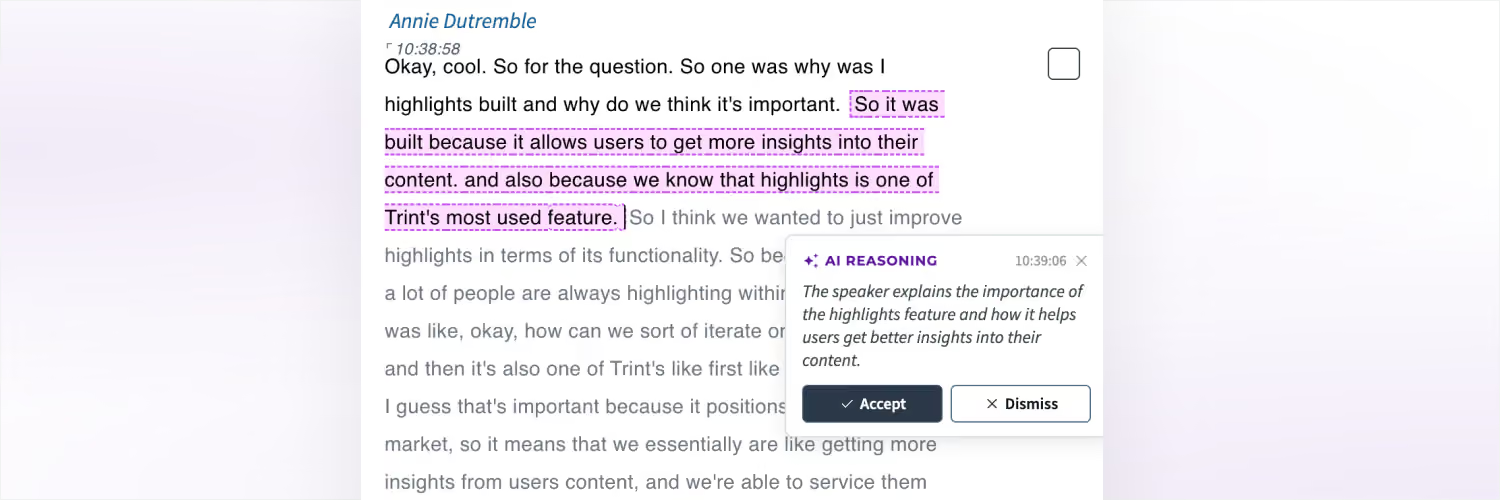
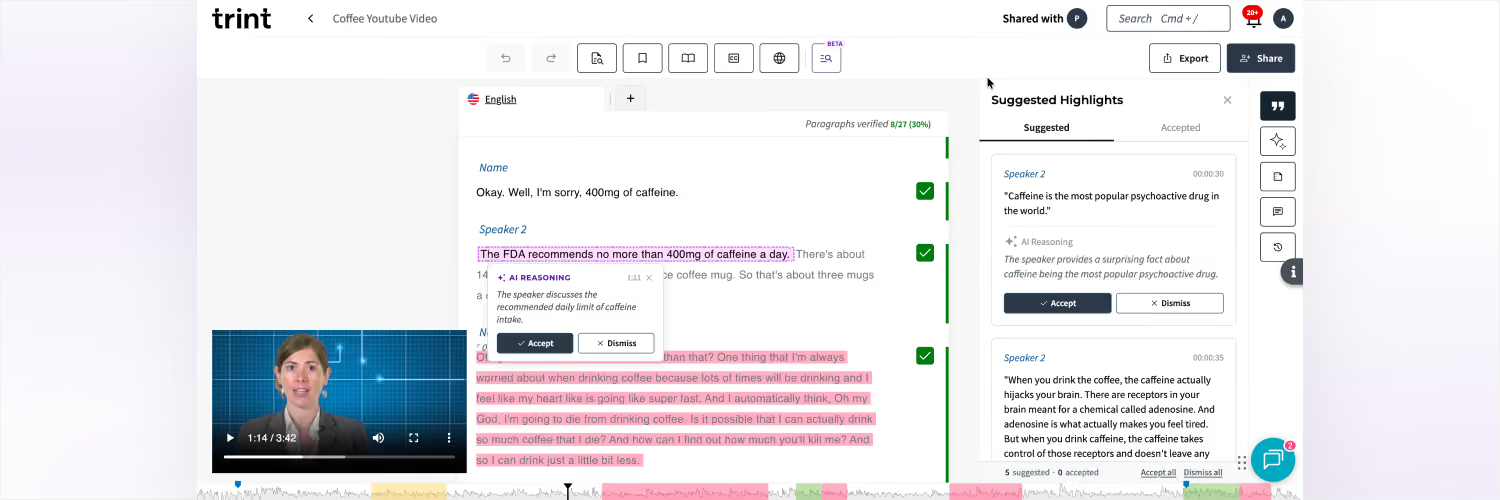
Annie: We know that the bulk of our users’ time in Trint is spent finding important moments from their transcripts. Today, people scan through an entire transcript and use our highlighting feature to identify those moments. We started thinking: “how can we help them do this faster?”, and using AI felt like a natural fit.
What if Trint’s AI could take the topic someone is interested in, identify potentially important moments, and suggest them to the user? Then, instead of scanning the entire transcript, they can just review the suggestions and start crafting their content much faster.
Yes so a second insight is that in the newsroom, journalists covering live stories are always multitasking. They’re starting to write their story, whilst simultaneously trying to pay attention to live events or press conferences. There’s always a fear of missing something. Again, what if Trint’s AI could monitor the live event and highlight important moments, with the context of what’s important to that journalist and their story? Some of that fear goes away, and the journalist can focus on crafting their story and publishing faster.
This is also one of Trint’s first agentic features so that’s important because it positions us firmly within the AI market. It means we can get more insights from our users’ content and we’re then able to service them faster and quicker than ever.
Annie: I haven’t seen much – Otter is one of our top competitors and they don’t do AI highlighting, but they have other AI features to extract insights.
Our developments in this space have been based on our users behaviour and usage rather than only looking at what others are doing. I think it’s important to know what direct competitors are doing, but at the same time, we need to focus on what our customers’ needs are.
Annie: It helps users find the moments that matter in order for them to craft their first draft. If we’re able to use AI in the process to speed up workflows then we should do that.
Essentially, we’re surfacing all the bits users might miss in the transcript. We’re able to surface those for them and the user is able to catch it without having to scroll through their content.
Annie: So, there were a couple of customers who had asked for something similar to this and I think that is partially what led to us creating AI Highlights. Then also it made sense through a lot of the evidence of our users and what they’re trying to achieve.
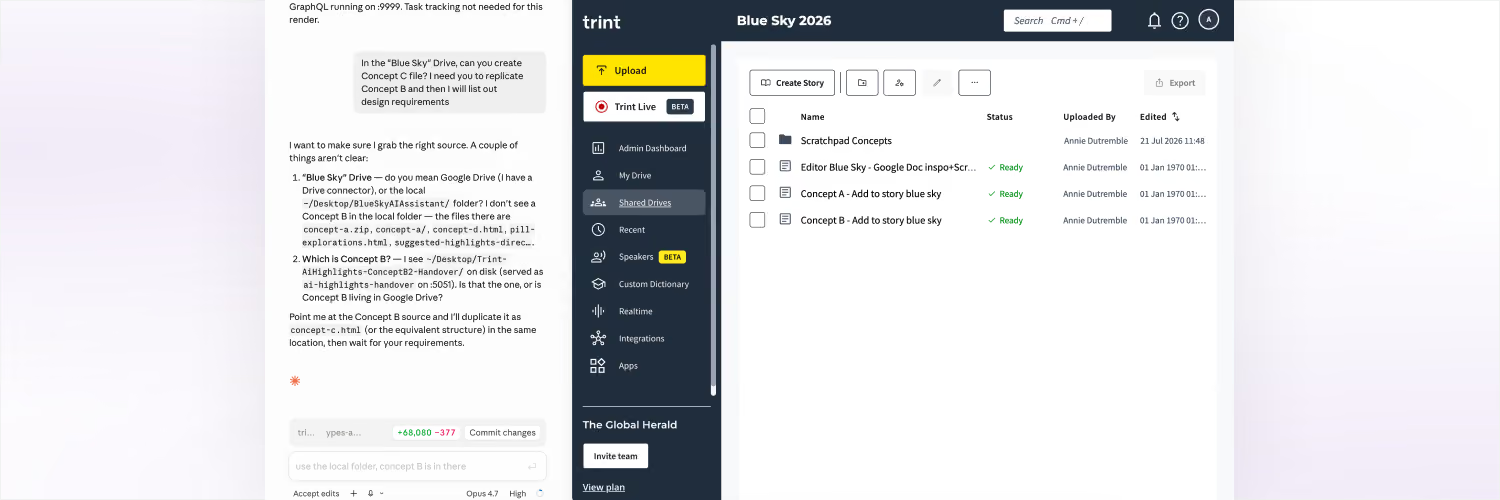
Annie: Probably the most interesting thing is that I used Claude to help design it. I think being able to prompt AI to create an AI feature is very meta. Through customised skills I was able to create a mentor for myself with decades of experience, who can help rationalise design decisions with me. I included UX heuristics, business goals, cognitive psychology, accessibility and design system implications to help with decision making. This is how I ensured the best possible experience for users without slowing down their workflows.
In my 5 years of designing for Trint, it’s the first time we’ve used AI to design and help build the feature and it’s great! We were still able to meet deadlines and adhere to all of our design and brand principles throughout.
Annie: In the past, I would design everything on figma showing every screen, all UI, user journeys, and edge cases, which could take weeks.
Typically, I’d go through the entire flow, putting myself in multiple users’ shoes to map out different scenarios. But now, with Claude, I can prototype much faster, make design decisions quicker too, and have the engineering team involved earlier in the process.
Annie: Yeah so I’ve paired with some engineers who’ve given me access to the front end and Claude has access to this folder. This means that I can accurately show ideas, concepts and final design decisions with complete accuracy. This makes it so much easier and faster because I can prompt the AI with specific design requirements and depending on how it interprets my prompt, I can make faster design decisions. I do a lot less pixel pushing now and have more oversight with how I’m working with AI.
Basically, I’ve replicated Trint and can experiment with what we have in production without implementing any changes that would affect the Trint app. This is a game changer as a designer because it means I can bring ideas to life faster than ever before.