Convert MP3 to Transcript


















Who is Trint MP3 Transcription for?
Trint is designed for teams, organizations and businesses that work with MP3 audio and need an efficient way to convert it into text.
Trint for Newsrooms
Cut through the noise and fight fake news by verifying and publishing faster with Trint. Journalists rely on Trint to transcribe MP3 files, fact-check quotes and publish content quickly — without sacrificing accuracy.

Trint for Sports Broadcasters
Capture every moment and build engaging content without manual transcription. Convert MP3 audio into text, then translate and localize at scale with our built-in captioning software to reach a global audience.

Trint for Production
Streamline your post-production workflows with Trint’s MP3 transcription. Convert raw audio, voiceovers, interviews or feedback notes into text in moments. Quickly identify key moments and build searchable media libraries for easy access.

Trint for Financial Services
Turn recorded meetings and conference calls into accurate notes and records. Trint’s multilingual MP3 to text converter helps financial teams slash administrative overhead and streamline comms across regions.

Trint for Law Firms
Convert depositions, client interviews and case materials into precise transcripts in minutes. Trint’s MP3 transcription supports secure, compliant workflows for legal professionals.

We are different
There might be other MP3 to text converters out there, but Trint offers what they don’t: enterprise-grade security, seamless integrations and AI-powered tools designed to optimize business workflows.

Data Governance
Trint’s ISO 27001-certified platform ensures your files are protected, with customizable access controls and flexible data storage options. Our AI never accesses or learns from your files, providing total data sovereignty.

Enterprise Integrations
Trint integrates smoothly with your existing tools and systems. Upload, transcribe, edit and collaborate all within the same platform. Invite teammates or clients to review content, even without a Trint subscription.

Go Beyond Transcription
Trint’s AI transcription software doesn’t just convert MP3s into text. Use AI Assistant to extract key insights, summarize content and generate reports — speeding up the entire content creation process.
Our customer stories
Don't just take our word for it. Discover why global organizations trust Trint for fast, accurate MP3 transcription at scale.










A workflow to fit yours
Once you've selected your subscription, Trint fits seamlessly into your existing processes, allowing your team to transcribe MP3 files without disruption.
1. Transcribe MP3 Files
Upload your MP3 audio into Trint’s platform and our AI-powered tool will transcribe it accurately in minutes. You can also transcribe WAV, M4A, MP4 and voicemail and voice messages, too.

2. Edit
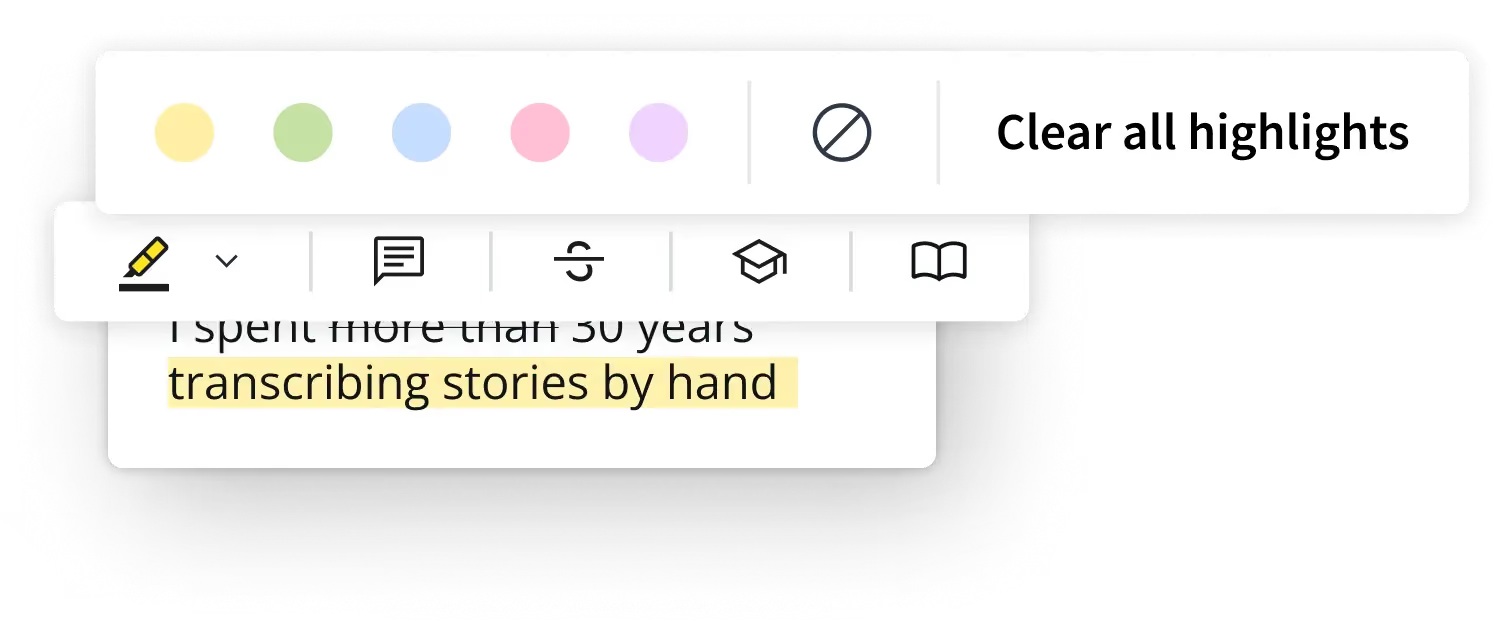
Edit and refine your MP3 transcripts just like any other document. Search, verify and collaborate with your team to finalize the content for publication or reporting.
3. AI-Powered Insights
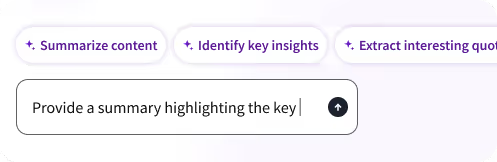
Take it a step further with AI Assistant. Extract valuable insights, summarize key points and speed up your content creation — then use our AI captioning service to add subtitles and make your content more accessible

Learn more about trint for BUSINESS
Speak to a
Trint expert today
FAQS
FAQ Question
FAQ Answer
WHAT FILE FORMATS CAN TRINT ACCEPT?
Trint doesn't just transcribe MP3s: our software can also convert AAC, WAV, MP4, M4A files to text. Videos can be uploaded as MP4, WMA, MOV and AVI files. Trint can also convert voice memos and voice messages to text.
Audio files should be under three hours in duration and/or 3GB in size. If you need to transcribe a file that is larger than this, then you can break it up into smaller files before uploading.
Trint also offers nine export file types, so you can download and publish your finished content in your preferred file format. Read our guide to export formats to see the full list of file types.