WAV to Text Converter


















Who is Trint's WAV to text converter for?
With enterprise-grade accuracy, Trint’s WAV to text software quickly converts files into readable text in more than 50 languages, saving time and resources.
Trint for Newsrooms
Major media organizations rely on Trint to transcribe WAV files from press conferences, radio segments and raw footage. Be the first to verify with lightning-fast, accurate transcription.

Trint for Sports Broadcasters
Never miss a moment. Transcribe WAV files into text in minutes and capture every play, press conference and post-match reaction with precision. You can even transcribe live from the sidelines with our live transcription app.

Trint for Production
Keep production moving with fast, accurate WAV transcription. Edit dailies, interviews and on-set recordings into searchable text. Move from rough cut to final delivery without compromising quality or accuracy.

Trint for Financial Services
For financial firms, Trint’s WAV transcription services provide clear, accurate text for recorded calls, client meetings and briefings. With searchable text transcripts and AI-powered insights, you can stay on top of key discussions and decisions.

Education and Research
Support research and digitize knowledge with accurate WAV transcription. Convert lectures, interviews and field recordings into searchable text, then analyze findings and build accessible archives.

We are different
With enhanced security, enterprise integration and AI-powered transcription, Trint isn't just another WAV to text converter. Built for business, our platform does more than turn audio and video to text — it streamlines your entire workflow.

Enterprise-grade Security
Trint’s ISO 27001-certified platform keeps your WAV files secure with customizable access controls and local data storage. Our AI models never access or train on your data.

Seamless Integrations
Easily integrate Trint into your existing systems and workflows, alongside apps and programs you already use. Our intuitive platform is easy to use, so your teams can hit the ground running.

AI-Powered Transcription & Beyond
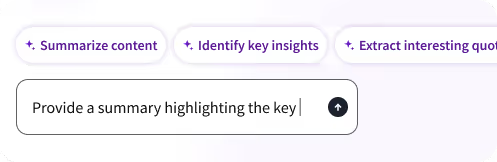
Converting WAV files to text is just the start. Transcribe M4A, MP3 and MP4 files to text with ease. Then use AI Assistant to highlight key moments, summarize meetings, extract insights and generate reports in seconds.
Our customer stories
Find out why leading broadcast networks and corporate teams trust Trint for fast, accurate WAV transcription, translation and closed captioning.










A workflow built for teams
Trint integrates seamlessly into your workflows, making it easy to convert WAV files to text with minimal disruption. With flexible plans for teams of all sizes, book your demo today.
1. Transcribe WAV Files
Simply upload your WAV audio into Trint’s platform and our AI-powered transcription tool will deliver an accurate text version in minutes. Export your transcript in nine file formats.

2. Edit and Collaborate
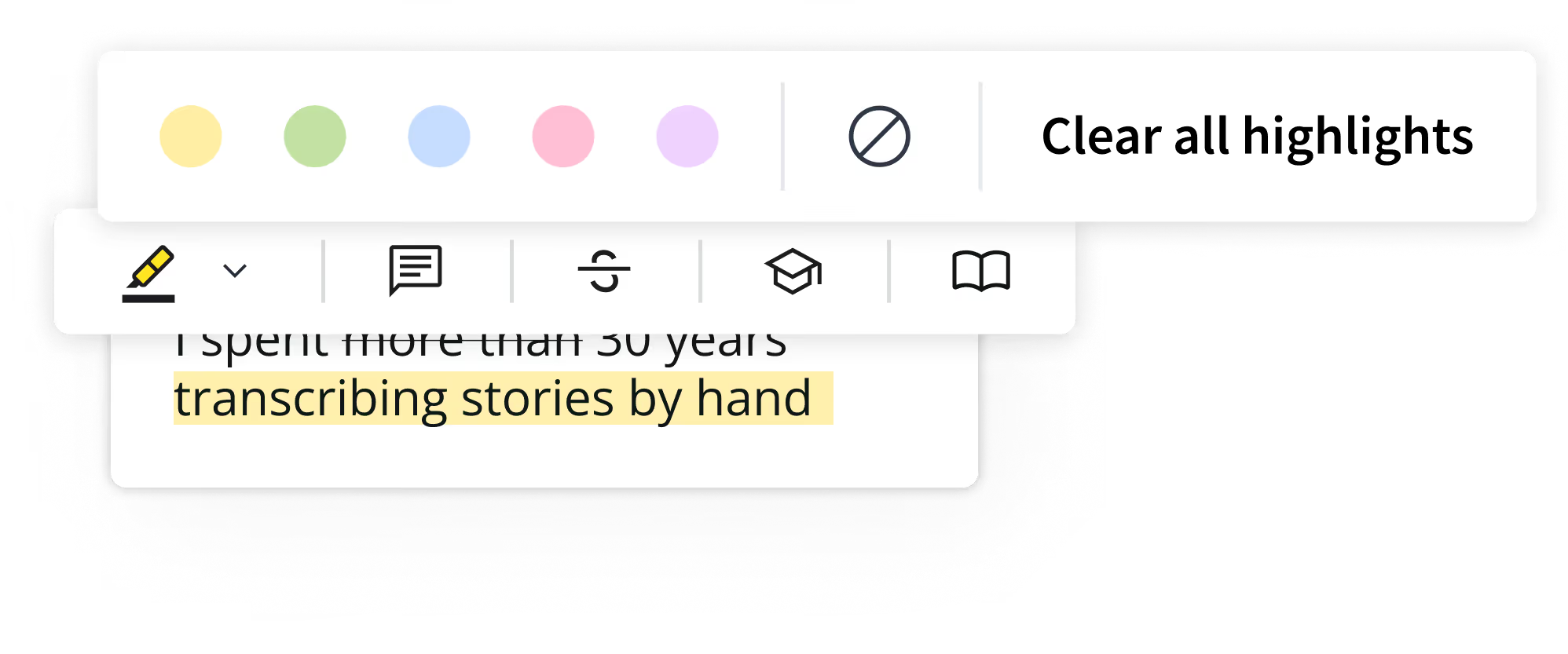
Refine your WAV transcription with Trint’s intuitive editor. Search, verify and edit the text, collaborating with colleagues in real time in the doc. You can even invite external contacts to review and feedback — without needing a Trint subscription.
3. Get More with AI
Get ready to accelerate with Trint’s AI Assistant. Quickly extract insights, create summaries or generate first drafts from your transcripts. Use our captioning tool to make content more accessible.

Learn more about trint for BUSINESS
Speak to a
Trint expert today
FAQS
FAQ Question
FAQ Answer
WHAT FILE FORMATS CAN TRINT ACCEPT?
Trint doesn't just transcribe WAV files to text. Our software can also convert AAC, MP3, MP4, M4A files to text. Videos can be uploaded as MP4, WMA, MOV and AVI files. Trint can also convert voice memos and voice messages to text.
Audio files should be under three hours in duration and/or 3GB in size. If you need to transcribe a file that is larger than this, then you can break it up into smaller files before uploading.
Trint also offers nine export file types, so you can download and publish your finished content in your preferred file format. Read our guide to export formats to see the full list of file types.